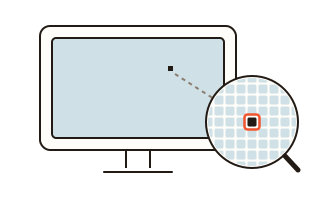
What this tool does
Use this dead pixel test when a new monitor or laptop arrives, or before you buy a second-hand screen. It fills the whole screen with one solid colour at a time, black, white, red, green, blue and grey, and moves to the next colour each time you click, tap or press an arrow key.
Each colour shows a different fault. Black reveals pixels that stay lit and light leaking in at the edges (backlight bleed); white reveals dead pixels as dark dots; red, green and blue reveal a sub-pixel that is stuck or missing; grey shows patches and uneven brightness.
When you spot something, press Mark and click the spot to pin it. At the end, save a PNG with the screen resolution, the colours you looked at and the position of every mark in device pixels, ready for a return or a warranty claim.
How to use it
- Wipe the screen. For backlight bleed, darken the room and turn the brightness up.
- Pick the first colour and press Start: the whole screen turns that colour.
- Click or press the right arrow for the next colour, the left arrow for the previous one, and look over every part of the screen.
- If something looks wrong, press Mark and click the spot. Leave with Esc or Finish and save the result picture.
Dead, stuck and hot pixels
A dead pixel is always off, so it shows as a dark dot on white or any bright colour. A stuck pixel has one of its red, green or blue parts always on: a coloured dot on black and a dot of the wrong colour on the other screens. A pixel that is always fully lit shows as a bright dot on black.
If a dot stays in the same place at the same size whatever the colour, it is the panel; if it wipes away or shifts when you move your head, it is dust or a scratch. Small dots are easiest to find looking straight at the screen and scanning slowly.
Backlight bleed or IPS glow?
Backlight bleed is light from behind the panel escaping near the frame, so the edges of a black screen look cloudy or bright. It shows best on black in a dark room with the brightness up.
IPS panels also glow softly in the corners when seen at an angle, and that glow changes as you move your head. A patch that stays bright when you look straight at it is closer to bleed. Phone cameras in a dark room tend to make both look brighter than your eyes see them, so judge with your eyes too.
No flashing screens
Some sites offer to fix stuck pixels by flashing colours very fast. Rapid flashing can trigger seizures in people sensitive to light, so this tool has none. The colour changes only when you ask, and even with a key held down or a burst of clicks it never changes more than three times in a second.
Your data
The tool only paints colours on your screen; it never captures or reads the screen. Marks and the result picture are made inside this browser and never sent to a server. Only the first colour you picked is kept in this browser for next time.
Questions and answers
Full screen does not work and the address bar stays.
Browsers without element full screen, such as Safari on iPhone, get the colour over the whole window instead. The area under the address bar cannot be checked there, so try a computer or another browser if you can. Turning a phone sideways shows more of the screen.
Is a tiny dot a dead pixel or dust?
Wipe the screen with a soft cloth and look again. A dot that stays in the same place at the same size on every colour is a pixel fault; one that disappears or moves with your viewing angle is dust or a scratch.
Can it fix a stuck pixel?
It finds and records them only. Flashing screens sold as a fix can be dangerous for people sensitive to light, so they are not included. If the screen is new, check the seller's dead pixel policy first.
How are the resolution and the positions measured?
The size of the full-screen test page is multiplied by the device pixel ratio to get real pixels, so a Windows scale of 125% still gives the panel's resolution. Marks are counted the same way, in pixels from the top left corner.
The mouse pointer disappears.
After 2.5 seconds without movement the pointer and the small bar hide, so they are not mistaken for a fault. Move the mouse or click to bring them back.