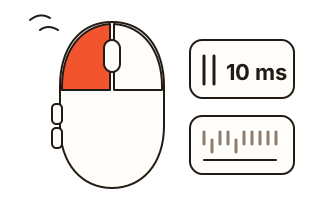
What this tool does
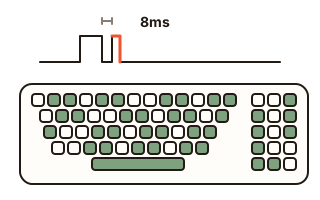
A file opens twice when you clicked once, a window you were dragging suddenly lets go, or the page jumps up while you scroll down: these are the classic signs of a worn mouse. When the switch under a button wears out, one press can reach the computer as two presses a few milliseconds apart. This mouse test catches that gap and shows it in milliseconds (ms).
The button check counts the left, middle (wheel) and right buttons and the back and forward side buttons separately, and lights each one on a picture of a mouse while you hold it. After twenty presses of the left button it gives a verdict: any double presses or not.
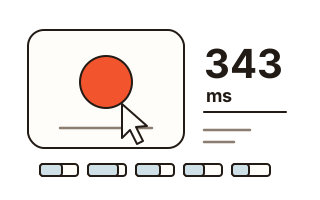
The click speed check counts your clicks over 5, 10, 30 or 60 seconds, gives clicks per second (CPS) and draws how many you managed in each second. The wheel check counts steps down, up and sideways, and how many steps came through in the wrong direction.
How to use it
- Pick a check: buttons and double clicks, click speed, or the wheel.
- For buttons, press the left button twenty times at your usual pace inside the big box, then try the other buttons one by one.
- For click speed, choose a time and click the box as fast as you can. For the wheel, roll it all the way down over the box, then back up.
- Read the verdict and the numbers. Start over or Try again begins a fresh check.
How a double-click fault is caught
A press counts as a double press when the same button goes down again within the limit after its previous press (80 ms to start with), or within a quarter of the limit after it was let go (20 ms at 80 ms) — that is the switch bouncing. You can choose 50, 80 or 120 ms; changing it re-checks the presses you have already made.
Clicking twice quickly on purpose can be caught too, so press at your normal pace, one click at a time. Every catch is listed with the button and the gap in ms, which helps you tell a one-off twitch from a fault that keeps coming back.
When a drag keeps dropping
If windows or files slip out of your grip while dragging, the contact may be breaking for an instant while the button is held. Hold the left button for two or three seconds and let go. When a button held for more than a quarter of a second comes up and goes straight back down within the limit, it is counted as a break, with how long it had been held and how long the gap was.
Does the wheel jump back?
When one step arrives in the opposite direction in the middle of a steady roll, the page lurches backwards. A step whose direction differs from both its neighbours, each within a quarter of a second, is counted as a jump and painted coral in the strip inside the box. The page itself does not scroll while you test.
Wheels that tilt are counted left and right, and pressing the wheel down (the middle button) is counted as well.
Clicks per second (CPS)
The clock starts with your first click, and that first click counts. Fifty clicks in ten seconds is 5.00 CPS. Afterwards a bar for each second shows whether you started fast and faded. Your best result for each time stays in this browser.
Your data
Button presses, timings and wheel steps are worked out in this browser and sent nowhere. Only your settings and your best click speed for each time are kept, in this browser's storage.
Questions and answers
One click registers as two. Do I need a new mouse?
Try the same check on another USB port or another computer first. If double presses show up everywhere, the button switch is the likely cause. Under warranty, the list on this page is useful evidence when you ask for a repair or replacement.
Are there buttons a browser cannot see?
Buttons handled inside the mouse, such as a DPI switch, and buttons the maker's software has given another job never reach the browser. Side buttons (back and forward) usually do, but some browsers or mouse settings keep them to themselves.
Is it safe to press right-click or the side buttons?
Inside the test box, right-click opens no menu and back or forward does not leave the page. Outside the box they work as usual.
Does it work on a phone or a laptop touchpad?
The click speed check works with taps. The button and wheel checks are made for a mouse. A two-finger swipe on a touchpad does register in the wheel check, but one swipe arrives as many steps, so it looks different from a wheel.
Why is my CPS a little different on another site?
Sites differ on whether the click that starts the clock counts. Here it does, so twenty clicks are twenty; a site that leaves out the first one works with nineteen.