What this tool does
When you are learning to touch type, getting ready for a job that asks for a typing speed, or just want your fingers to find the keys without looking, short and regular practice is what helps. This page gives you five kinds of practice: a key drill that shows one key at a time, everyday words, one-line sentences, longer passages, and any text you paste in yourself.
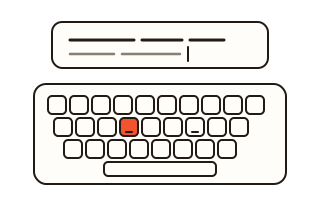
While you type, your speed, accuracy and time update with every key, and a keyboard picture lights up the next key together with the finger that should press it. When a run ends you see which keys you missed most, shaded on the keyboard, so you know what to practice next. Timed runs of one, three or five minutes are there when you want a speed figure.
Korean is supported too, on the standard 2-set layout, with the input method handled properly: a syllable that is still being composed is never marked wrong.
How to use it
- Pick a kind of practice (key drill, words, sentences, passages or your text) and a language.
- For the key drill choose the row to practice; for passages choose the text. Set a time limit or large text if you like.
- Press Start and type the line shown above into the box below it. At the end of a line press Enter or Space to go on.
- When you finish, read your WPM, accuracy and missed keys, and save the result card as a picture if you want to keep it.
How the speed is worked out
WPM counts five characters, spaces included, as one word, and only characters typed correctly count, so rushing and leaving mistakes behind does not raise the number. CPM, characters per minute, is shown next to it. In the key drill the figure is keys per minute.
Accuracy is the share of characters that matched the text when each line was handed in. If you click away from the box the clock waits and starts again when you carry on typing.
Key drill and finger positions
The key drill goes row by row: the home row first, then the top row, the bottom row, capitals with Shift, the number row, and finally everything mixed. Each key is shown large with the next few after it, and a wrong key is counted but the drill waits for the right one. Rest your index fingers on F and J; both keys have a small bump you can feel.
Where the practice texts come from
The words, sentences and some passages were written for this site. The others are out of copyright: the opening of Lincoln's Gettysburg Address, the first lines of Jane Austen's Pride and Prejudice and Emily Dickinson's "Hope is the thing with feathers", plus Korean poems by Yun Dong-ju, Kim Sowol and Yi Yuksa. The author and first publication are shown when you pick a passage.
Your data
Everything you type, the text you paste in and your records stay in this browser and are never sent to a server. Your text, the last 30 results and your best for each kind of practice are kept in this browser's storage so you can come back to them; a run you stop early is shown but not kept. The clear button removes these records at once and leaves the typing speed test's own records alone.
Questions and answers
Why is my WPM a little different from other typing tests?
Tests differ in whether mistakes are subtracted, whether pauses count and whether the key that ends a line counts. Here only correct characters count (the Enter or Space that takes you to the next line is not one of them), and time spent away from the typing box is left out.
Can I use it on a phone?
You can type words and passages with a phone keyboard, but the key drill and finger hints are made for a physical keyboard, so use a computer for a fair speed figure.
What is on the result card?
Your speed, accuracy, time, the number of characters, a keyboard with your missed keys shaded, and the date, as a 1080 × 1350 PNG. Your name and the text you typed are not on it.
Can I practice with my own text?
Yes. Choose Your text and paste anything up to 5,000 characters. It is split into lines and kept in this browser for next time.
What does the Korean option count?
Korean speed is counted in keystrokes per minute on the 2-set layout: each consonant or vowel key is one stroke, and Shift is not counted, the usual way Korean typing tutors count. Only correctly typed characters are counted.