What this tool does
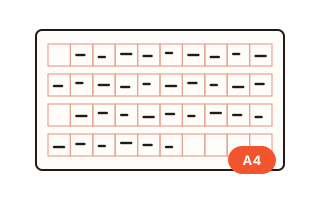
Wongoji is the squared manuscript paper used for Korean essays, school writing tasks and the TOPIK II writing section. Each cell holds one syllable, but several rules change where things go: a paragraph starts one cell in, a period or comma never begins a line, Arabic numerals and lowercase Latin letters go two to a cell, and question or exclamation marks are followed by an empty cell. This tool applies those rules to your text as you type, so you can see exactly how an answer would look on the sheet before you write it by hand.
Choose a 200-cell or 400-cell sheet, a custom grid, or a practice answer box for TOPIK question 53 (200–300 characters), question 54 (600–700 characters) or a Korean university essay exam. Answer boxes show how many cells you have used, how many are missing to reach the minimum, and how far you went over the maximum, with numbers every 100 cells like a real answer sheet.
How to use it
- Pick a sheet type at the top. For exam practice choose TOPIK Q53, TOPIK Q54 or the essay answer box; for ordinary manuscript paper choose 200 or 400 cells.
- Type or paste your Korean text. Each line break starts a new paragraph, which is indented by one cell automatically. Empty lines are not added to the sheet.
- Read the counters: characters with and without spaces, cells used, and for answer boxes a coloured message telling you whether you are under, within or over the required length.
- Open Layout rules to switch between the school (textbook) style and the TOPIK test-prep style, or change single rules such as where a line-start period goes.
- Press Print for A4 sheets without the rest of the page, or Save PDF to get an A4 PDF file made inside your browser.
- In Preview, save and share, Save image builds PNGs from the text you entered, the settings above and the preview you see now. Several pictures are numbered and bundled into one ZIP. A long answer is split into pictures of up to 40 lines, and the cell numbers continue. The line colour you pick is used in the preview, print, PDF and images together. Share images is shown on phones and tablets that support file sharing. On a PC, use Save image.
The rules this generator follows
The layout follows the manuscript paper rules as they are commonly taught in Korean school textbooks, the National Institute of Korean Language Q&A and TOPIK preparation books. There is no single official rulebook, so points where sources disagree are switches rather than fixed behaviour.
Spacing between words takes one empty cell, except at the start of a line: a space that would fall in the first cell is simply not written, and the school style marks it with a small check mark in the margin. Hangul, Hanja and capital letters take one cell each; digits and lowercase letters share a cell in pairs, so 2024 uses two cells and apple uses three. A period or comma sits in the lower left of its cell and needs no empty cell after it. An ellipsis spans two cells and is never split across lines.
School style and TOPIK style
When a punctuation mark would land in the first cell of a line, the school style writes it in the right margin, while the TOPIK style squeezes it into the last cell of the previous line together with the character already there, since writing outside the boxes of an answer sheet is risky. In the school style, dialogue lines that continue onto the next line also leave the first cell empty so that the text lines up inside the opening quote; the TOPIK style starts those lines in the first cell. The indent lasts only while the quote is open: once it closes, the narration that follows in the same paragraph, such as "she asked", goes back to the first cell. A period and a closing quote always share one cell; whether a question mark shares a cell with a closing quote varies between books, so it is on only in the TOPIK style.
How TOPIK length is counted here
TOPIK asks for 200–300 characters in question 53 and 600–700 in question 54, spaces included. The counter here reads the grid the way examinees do: from the first cell to the last cell that holds writing, so cells left empty at the end of a paragraph count too. Character counts with and without spaces are shown next to it so you can compare. The grid uses 20 cells per line and is meant for practice; check the current test guidelines for the exact answer sheet.
Your data
Your text is laid out inside this browser and is never sent to a server. The PDF is also built in the browser and downloaded directly. Your last text and settings stay only in this browser's local storage so you can continue later; the Clear button removes the text. Images are also made inside this browser. Sharing passes the prepared pictures to your device’s share sheet without using this site’s server; the chosen app handles any onward transfer.
Questions and answers
Why is there no empty cell after a period?
On manuscript paper a period or comma only uses the lower left corner of its cell, and the rest of the cell already works as the space. If your teacher wants an empty cell anyway, turn on the option to keep a typed space after periods and commas.
Is this exactly the official TOPIK answer sheet?
No. It draws 300 cells for question 53 and 700 cells for question 54, 20 to a line, with numbers every 100 cells. Use it to practise length and layout rules, and check the current test guide for the real sheet.
Which rules should I choose for the exam?
The TOPIK style is the default for the TOPIK boxes and matches what most test-prep books teach. If your class or textbook says otherwise, change only that rule under Layout rules; the sheet updates immediately.
Can I print blank wongoji sheets?
Yes. Leave the text empty, set the number of extra blank sheets and press Print or Save PDF. Two 200-cell sheets fit on one A4 page, a 400-cell sheet fills one page.
Can I save the wongoji sheet as an image?
Yes. Save image uses the current preview, with the same text and settings, and downloads a PNG. Each sheet is normally one picture, and a long answer is split every 40 lines. Several pictures are numbered and put in one ZIP. They are drawn inside your browser. On a PC, where sharing is not shown, use this save.
Can the grid be green instead of red?
Yes. Pick red, green, blue or grey under Line colour and the preview, print, PDF and images all use it. The default, Auto, draws ordinary sheets in red and TOPIK or essay answer boxes in grey.
Does the tool work offline or upload my essay?
Nothing is uploaded. Once the page has loaded, the layout, the print view and the PDF are all made on your device, so your essay stays private.
Why do my straight quotes and three periods look different on the sheet?
Manuscript paper uses curly quotes and a two-cell ellipsis, so by default the sheet writes " ' as “ ” ‘ ’, ... as …… and -- as a two-cell dash. Only the sheet changes; your text box keeps what you typed. Turn off the switch under the text box to see every mark exactly as typed.
How are decimal numbers such as 3.14 written?
A decimal point between two digits is treated as part of the number, and numbers go two characters to a cell, so 3.14 becomes 3. and 14 in two cells. This tool follows that convention; if your teacher wants the point in a cell of its own, change it when you copy the sheet by hand.
Why is there a ∨ next to a question mark in the margin?
In the school style a mark that would start a line is written in the right margin. A question or exclamation mark is followed by one empty cell, and that space now falls at the start of the next line, so like any line-start space it is not written but marked with ∨: the margin shows ?∨ or !∨. This tool follows that convention. The TOPIK style puts the mark in the last cell and adds no ∨, and the ∨ can be turned off under Layout rules.
Can I send manuscript images straight to a chat app?
Share images is shown in the preview area on phones and tablets that support file sharing. It builds pictures from the text, the settings and the preview you already have, then opens the device share sheet. Choose an app shown there, such as a chat or photos app. If the button changes to Share now after the pictures are ready, press it again. Closing the sheet sends nothing. Changing the text or settings discards the prepared pictures. On a PC, use Save image. If sharing is denied again, use Save image to download and send the pictures.