What this tool does
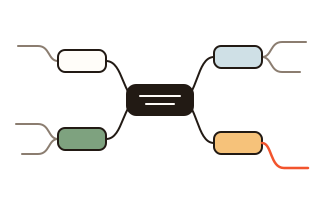
A mind map puts one big idea in the middle and grows the thoughts around it outward like branches. This tool lets you draw one right in the browser, with no account and nothing to install, and what you type is never sent to a server. People use it to plan lessons, outline a talk or an essay, plan a trip, or turn meeting notes into something they can see on one page.
You never have to line branches up by hand. Main topics are shared out between the left and the right of the centre, and the branches under them stack in order, so labels do not overlap however many you add. On a computer you can drag a branch onto another one to move it there, or along its siblings to reorder it; give each main topic its own colour, and fold a busy branch away so that only a count of what it holds shows.
When the map is done, download it as a PDF fitted to one sheet of A4, A3 or US Letter. The text in that PDF is real text rather than a picture, so it prints sharp and a PDF reader can search it. For slides or a chat there is a PNG image, and an SVG whose lines and words stay editable in a drawing program.
How to use it
- With the central topic selected, just type to replace its text, or double-click it to change part of it. Press Enter when you are done.
- Press Add branch (Tab on a keyboard) to add a branch under the selected one and type straight into it. Add sibling (Enter) adds another branch at the same level.
- Choose other branches with the arrow keys and remove a wrong one with Delete. Made a mistake? Press Undo (Ctrl+Z).
- As the map grows, drag the empty space to move around and zoom with the mouse wheel or the + and − buttons at the bottom right of the map. Fit to screen brings the whole map into view.
- Pick a paper size and press Download PDF for a file ready to print. To keep editing later, also press Save file to download the map as .json.
Building a map with the keyboard alone
When ideas keep coming, you can keep your hands on the keyboard. While typing a branch, press Tab: the text goes in and a new branch opens under it. Press Enter twice for the next branch at the same level. Arrows follow the map: the one pointing toward the centre goes up a level, the one pointing outward goes into a branch, and up and down move to the nearest branch at the same level. Home jumps back to the centre.
Alt with the up or down arrow changes a branch's place among its siblings. To fix an existing branch, F2 lets you edit its text, while simply typing replaces it. Escape throws away what you were typing, and Escape followed by Tab leaves the map. A list indented with spaces or tabs — copied from notes or a document — pastes in as branches, one per line.
Typing in Korean, Japanese or Chinese without lost characters
Input methods for these languages hold a character open while it is being composed. If a shortcut reacts first, the last character can vanish or a branch can be added twice. Here the text goes into a real text box in the browser, and while a character is still being composed, Enter and Tab are left to the input method; they are acted on once, after the character is in.
Typing straight onto a selected branch keeps its first character too. This was tested with the key orders of the standard Windows and macOS input methods.
Saving, and files from other programs
Every change is saved in this browser, so closing the tab and coming back brings the map back as you left it. Make several maps and pick one from the list below the editor; the 100 most recent are kept, and making more drops the oldest. Clearing the browser's cookies and site data clears them too, so save a file of any map you want to keep for long.
Maps made elsewhere open as well: the .json saved by the open-source mindmaps app, FreeMind and Freeplane .mm files, OPML outlines, and indented lists in .txt or .md files. The branches come in with their structure, and this tool lays them out and colours them afresh.
Your data
The map is drawn in this browser and nothing is sent to a server. Your maps are kept only in this browser so you can carry on later, and the first PDF fetches the Nanum Gothic font from this site once.
Questions and answers
Where are my mind maps saved?
In the browser you are using now. Come back on the same computer and browser and the map is there. To continue on another computer or a phone, press Save file and open that .json file there with Open file.
Does it work on a phone?
Yes. Double-tap a branch to edit it and use the Add branch and Add sibling buttons above the map. Drag with one finger to move around and spread two fingers to zoom. On a small screen, Fill screen spreads the map over the whole screen. Dragging branches to move them works on a computer only.
The text in my PDF is tiny.
The whole map goes on one sheet, so a large map means small text. Switch the paper to A3 landscape, or fold branches you do not need before downloading. Splitting a big branch into a map of its own also helps.
Can I open files from other mind map programs?
mindmaps (.json), FreeMind and Freeplane (.mm), OPML (.opml) and indented lists (.txt, .md) open directly. From XMind and similar programs, export to OPML or Markdown first. Text and structure come across; fonts, colours and pictures do not.
Downloads don't work when I open the page from a chat app.
Browsers inside chat apps such as KakaoTalk often cannot save files a page makes. Copy the address with the button the tool shows and open it in Chrome, Safari or Samsung Internet. The map you drew stays in the chat app's browser and does not move across, so it is best to start in your regular browser.