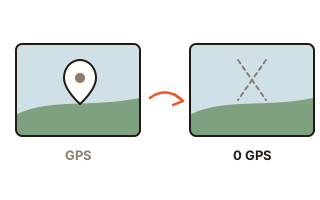
What this tool does
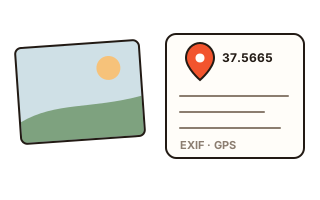
Phones with location switched on stamp the latitude and longitude into each picture they take. A listing photo shot on your sofa or a family snapshot shared as the original file carries those numbers along, and anyone who opens the file can see them. This cleaner blanks exactly those fields.
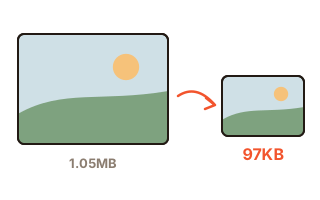
Unlike an editor's 'save as', it never redraws the picture. The image data keeps every byte, so quality is untouched and the file stays the same size; the date and camera model can stay or go, as you choose.
How to use it
- Press 'Choose photos' and pick the photos you are about to share. Many at once is fine.
- Copies without the location are made as soon as they are in; your originals stay as they are. Each row says whether there was a location and what was done.
- To drop the date, the camera model and the rest as well, choose 'Remove all metadata'.
- Press 'Save'. Several photos come as one ZIP file.
Location only, or everything
With 'Location only' the GPS block of EXIF is emptied (latitude, longitude, altitude, facing direction, satellite time), and so are GPS values and city, region and country names in XMP and place names in IPTC. Camera model, time taken and exposure settings remain, as do the color profile and the orientation.
'Remove all metadata' clears EXIF, XMP, IPTC, comments, PNG text, the embedded preview picture and content credentials as well. Two things survive on purpose: the color profile, so colors do not shift, and a single orientation value, so a portrait shot does not lie on its side.
Blanked in place, not re-saved
Re-saving a JPG in an editor compresses it a second time, costing a little quality and changing its size. Here the bytes that hold the location are overwritten with zeros or spaces where they sit, so the picture itself is identical to what you put in, and each row reports how many bytes were touched.
HEIC files from iPhones address their parts by byte position; change the length of anything before them and the file breaks. That is why HEIC is cleaned the same in-place way, keeping its exact length.
Checked before you download
Each cleaned file is parsed again from the first byte to confirm there is no GPS block or place name left; anything that remains is reported, never hidden. Files that carried no location in the first place are skipped and labeled fine to use.
Your data
Photos are opened and changed inside this browser only. Neither the photos nor the locations read from them go to any server. Only your choice of 'location only' or 'all' is remembered in this browser.
Questions and answers
Will the cleaned photo look worse?
No. The image data is left alone, so it is identical to the original, and with 'Location only' a JPG or HEIC file does not change size by a single byte (a PNG can rarely get slightly smaller).
What about iPhone HEIC photos?
The location in a HEIC file is blanked in place and the file stays HEIC, so it opens on iPhone and Mac as before. Browsers other than Safari may show an empty thumbnail.
Does it overwrite my original?
No. Your original is not touched; a new file ending in '-no-location' is downloaded. Pick that one when you upload.
Are the date and camera model removed too?
Only if you choose 'Remove all metadata'. With 'Location only' they stay, which helps photo apps sort your pictures by date.
Nothing happens when I save inside a chat app.
Browsers built into apps such as KakaoTalk or Instagram cannot save a file a page makes. Open this page in Chrome or Safari, as the note at the top explains.