What this tool does
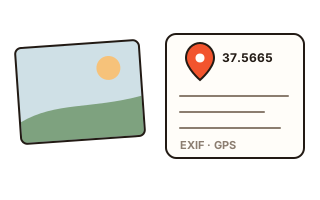
A photo from a phone or camera carries more than the picture. Inside the file there is a record of the date and time, the phone model and lens, settings such as aperture and shutter speed, and — when location was switched on — the latitude and longitude of the spot where it was taken. This viewer reads that record straight from the file and puts it into plain words.
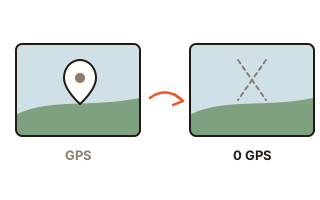
Location comes first, because it is the most sensitive part. A photo taken at home and posted unchanged to a marketplace listing or a blog can lead a stranger to your door. When a location is found, a warning appears with a button that saves a copy with the location taken out.
How to use it
- Press 'Choose photos' or drag photos onto the box. Several at once is fine.
- Look at the box on top first: it says whether the photo still holds a location. You can copy the coordinates.
- Below, check when it was taken, the device, the shot settings, the picture size, the program that made it and any words written into it.
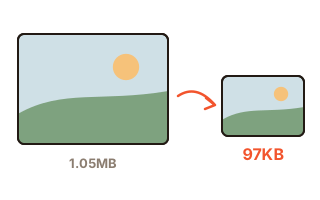
- To remove the location, press 'Save a copy without location'. The picture is not re-saved, so quality stays exactly the same.
What a photo file can hold
Most of it is EXIF: the camera make and model, the time it was taken with its time zone, aperture, shutter speed, ISO, focal length and which way to turn the picture. With location on, the GPS part adds latitude, longitude, altitude, the direction the camera faced and the satellite time.
Editing programs may add XMP with a title, a description or a city name, and newsrooms use IPTC for the place and the copyright. The viewer reads all three, and also looks for marks that a picture was generated: C2PA content credentials (written by some cameras and editors as well as AI tools), the IPTC 'trained algorithmic media' source type and the settings text that image generators leave in PNG files.
A cropped photo can still carry the whole picture
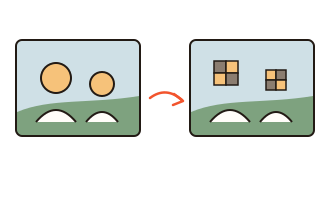
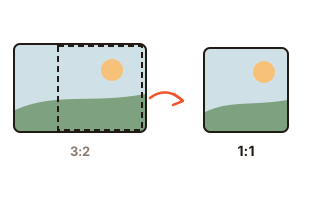
EXIF often keeps a small preview picture for quick display. Some programs crop or blur the main picture but leave this preview alone, so the part you cut away — or the face you covered — is still inside the file. When a preview is present, the viewer takes it out and shows it to you.
Serial numbers and an owner name are worth a look too: photos sharing one camera serial number can be tied to the same person.
Why there is no map
Showing a pin on a map means asking a map company's server for map tiles, and those requests give away the coordinates. A tool meant to protect a location should not send it anywhere, so this one shows the numbers only. To check the spot yourself, copy the coordinates into the search box of the map app you already use.
Your data
Photos are opened and read inside this browser only. Neither the photos nor the coordinates read from them are sent to any server. Closing the page clears the list.
Questions and answers
Do photos sent through chat apps or social media keep the location?
It depends on the service. Many re-create the photo on upload and drop the metadata, but sending as a file, in original quality, as an email attachment or through a cloud sharing link often passes the original file on unchanged. Checking first and sending a cleaned copy removes the doubt.
Can my phone stop adding a location?
On an iPhone, go to Settings › Privacy & Security › Location Services › Camera and choose Never. On Android phones the camera app's settings have a location tags switch. Photos already taken can be cleaned here.
Does it read HEIC photos?
Yes. Location and camera details are read from iPhone HEIC files. Browsers other than Safari cannot draw HEIC pictures, so the preview may stay empty, but the metadata is read all the same.
Nothing shows up for my photo.
Screenshots, photos received through messengers and pictures re-saved by another program usually have their metadata removed already. The viewer then says there is no location.
If there is no AI mark, was the photo taken by a person?
Not necessarily. An AI mark is there only when the generating program wrote it, and re-saving or a screenshot removes it easily. A mark is a useful hint; its absence proves nothing.