What this tool does
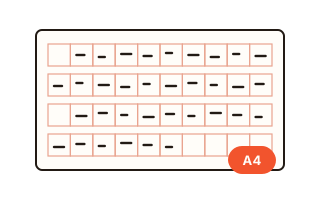
This tool makes a calendar you print yourself. Choose one page per month (twelve pages) or the whole year on a single sheet, on A4 portrait or landscape, US Letter portrait or landscape, or a desk size (A5 landscape, 210 × 148 mm) that can also be printed two to an A4 sheet with a dashed cutting line between them, so a home printer and a pair of scissors give you a desk calendar.
Holidays are worked out from the rules, not copied from a list: US federal holidays for any year from 1986, Korean public holidays from 2014 to 2050, while the calendar itself runs from 1901 to 2050. United States federal holidays include the observed days: when the Fourth of July falls on a Sunday, Monday the fifth is marked as well. Korean public holidays are there too, with the lunar dates of Seollal, Chuseok and Buddha's Birthday turned into the right days and the substitute holidays Korea adds when a holiday lands on a weekend.
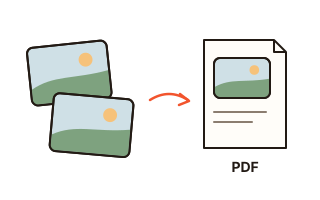
The PDF is vector: numbers, names and lines are real text and lines, so they stay sharp at any size and you can search the file. PNG images (300 dpi for a single page, 200 dpi for monthly pages) are there for printing services and photo apps. Everything is made inside your browser; the photos and dates you add never leave this tab.
How to use it
- Choose the year. From October on, next year is chosen for you. Then choose monthly or yearly pages, the paper, whether weeks start on Sunday or Monday, and which holidays to show.
- Switch the extras on or off: lunar dates, Saturdays in blue, and large numbers, which makes the day numbers about one and a half times as big and the holiday names larger too, good for a wall or a fridge.
- Open "My dates" and add birthdays, anniversaries or any day that comes back every year. A date entered in the lunar calendar is placed on the right day of the chosen year.
- With monthly pages you can add a photo for each month. Pick several at once and they fill January, February and onward in order.
- Check the preview month by month, then press "Download PDF". For pictures, use the PNG button; twelve pages come as one ZIP file.
Which holidays are on it
US federal holidays: New Year's Day, Martin Luther King Jr. Day, Washington's Birthday (Presidents' Day), Memorial Day, Juneteenth (from 2021), Independence Day, Labor Day, Columbus Day, Veterans Day, Thanksgiving and Christmas Day. When a fixed-date holiday falls on a Saturday the federal holiday is observed on the Friday before, on a Sunday the Monday after, and both days are shown. In 2027 that gives four observed days, including Friday, December 31 for New Year's Day 2028.
State holidays differ from state to state and are not included; add the ones you need under "My dates". The holiday list below the preview shows every date with its weekday, so you can check it before printing.
Desk calendars and large print
For a desk calendar choose the desk size and turn on "two on one A4 sheet". Six sheets printed at actual size and cut along the dashed line give twelve months that fit a desk stand or a ring binder.
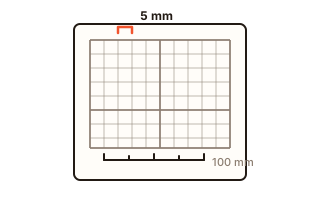
Printing at "Fit to page" shrinks everything slightly. Choose "Actual size" or 100% in the print dialog, and pick the same paper size as the PDF, so the margins come out even and the cutting line lands in the middle.
Your data
The calendar is made in this browser and nothing is sent to a server. Your settings and dates are kept in this browser so they are there next time; photos are never stored and are gone when you close the page. The first PDF fetches a font file from this site once.
Questions and answers
Does it include US federal holidays and observed days?
Yes. All eleven federal holidays are marked, and when one falls on a weekend the observed Friday or Monday is marked too. For 2027 that is June 18, July 5, December 24 and December 31.
Can I add birthdays that follow the lunar calendar?
Yes. Tick "Lunar" when you add the date and it is placed on the matching date in the year you print. The lunar data follows the Korea Astronomy and Space Science Institute, which can differ by a day from other programs' lunar calendars on rare dates.
Where do my photos go?
Nowhere. They are resized inside your browser and placed in the PDF, and they are not saved, so they disappear when you close the page.
The printed calendar is a little smaller than the paper.
Your print dialog is set to fit the page. Choose "Actual size" or a scale of 100% and the same paper size as the PDF.