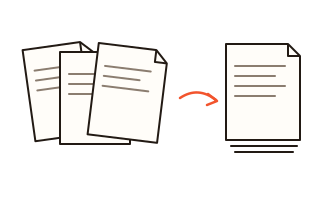
What this tool does
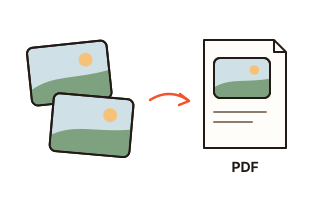
This converter places your images in a PDF document, one image per page. It takes JPG and PNG files directly, and other formats your browser can open, such as WebP, GIF, BMP or AVIF, are converted along the way.
Choose the paper size (A4 or US Letter) or let every page take the size of its picture, decide whether pages stand upright, lie sideways or follow each picture, and add a margin if you plan to print. Each card in the list shows the page exactly as it will come out.
JPG photos are placed in the PDF byte for byte, so they keep their original quality and the PDF is barely larger than the photos themselves. Photos taken with a phone held upright stay upright, because the rotation stored by the camera is respected.
How to use it
- Click Choose images or drop the pictures onto the box. You can also paste a screenshot with Ctrl+V (Cmd+V on a Mac).
- Put the pictures in order by dragging the handle, with the arrow buttons, or with Sort by name. Turn a picture a quarter turn with the rotate button.
- Pick the page size, orientation and margin. The previews change at once.
- Leave “Put all images in one PDF” ticked for a single document, or untick it to get one PDF per image in a ZIP file.
- Press Convert to PDF and the file is saved to your downloads folder.
Page size, orientation and margins
A4 (210 × 297 mm) is the standard paper size in most of the world, and Letter (8.5 × 11 in) is used in North America. Every picture is scaled to fit inside the margins without being cropped or stretched, and it sits in the centre of the page.
With Same as image, each page is exactly as large as its picture. Scanners usually record the resolution, for example 300 dots per inch, and that is used so a scanned A4 sheet comes out as an A4 page; pictures without that information are treated as 96 dots per inch.
With Follow each image, the page turns sideways for landscape pictures and stays upright for portrait ones, so wide photos fill the paper instead of sitting in a thin strip.
Image quality and file size
A JPG file is already compressed, and compressing it again would only lose detail. This tool copies the JPG data into the PDF unchanged, so the PDF is about as large as your photos added together. PNG images are stored without loss, which keeps text in screenshots crisp but can make the file larger. For a smaller PDF, reduce the size of the photos before you convert them.
Your data
Your pictures are converted inside this browser tab. They are never uploaded, and the previews are made on your device. Only your page settings are remembered in this browser; the images are forgotten when you leave or reload the page.
Questions and answers
How do I combine several JPG files into one PDF?
Add all the pictures at once, put them in the order you want and press Convert to PDF with “Put all images in one PDF” ticked. Each picture becomes one page.
Will my photos lose quality?
JPG photos are not compressed again; they go into the PDF exactly as they are. Formats that a PDF cannot hold directly, such as WebP, are turned into high-quality JPG first.
Why do phone photos sometimes come out sideways?
Phones often store an upright photo lying on its side, together with a note that says how to turn it. Converters that ignore the note produce sideways pages. This tool reads it and draws the photo the right way up without re-encoding it.
Can I convert HEIC photos from an iPhone?
Only if your browser can open HEIC files: Safari can, most other browsers cannot. If a HEIC photo is marked as unreadable, export it as JPG from the Photos app first, or set the camera to the Most Compatible format.
Is there a limit on the number of images?
No. You can add dozens of photos at a time. Very large batches are limited only by the memory of your device.