What this tool does
Personal color analysis sorts the colors that flatter you into four seasons and finer tones, based on the color of your skin, eyes and hair. This test finds the face in your photo by itself, measures the skin on your cheeks, forehead and chin, the color of your eyes and hair, and shows where you sit on three axes: warm or cool, light or deep, and bright or muted.
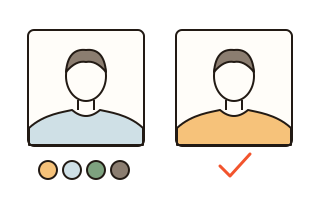
Numbers alone do not decide it. As in an analyst's studio, your photo is shown twice side by side, each with a different colored drape, and you pick the one you look better in, seven times. The measurement and your picks are combined into the nearest of the ten tones used in Korea, from Spring Warm Light to Winter Cool Deep, together with the second-nearest tone, so you can see how close the call was.
How to use it
- Press 'Choose a photo' and add a selfie. On a phone the same button can take one with the camera app. Daylight from a window, a bare face and hair off the forehead give the best reading.
- If you held a sheet of white paper next to your face, tap the paper in the photo to correct the color of the light.
- Press 'Start the drape test' and pick the side where your face looks clearer and livelier. If you cannot tell, press 'Can't tell'.
- The result shows your colors, colors to avoid, and lip, blush and eye colors. Tap a color to see it as a drape on your photo, then save the result card as a picture.
What the photo measures, what your eyes decide
Skin color in a photo changes a lot with the light, the camera and makeup. So the measurement is only the starting point, and the drape test counts for more. If you choose the cool drape twice on the same axis, the result leans cool even when the photo measured warm.
Warm or cool comes from the hue of the skin (how much yellow against red), light or deep from the lightness of skin, hair and eyes, and bright or muted from how vivid the skin color is and the contrast between skin and hair. On the result, the dashed circle marks where the photo put you and the filled one where you ended up after the drapes.
Correcting the light with a sheet of paper
Under a yellow ceiling lamp almost anyone can look warm, and in shade or under bluish light almost anyone can look cool. Hold a sheet of white printer paper beside your face, then tap it in the photo: red, green and blue are scaled until the paper is white, and the skin is measured again.
Without paper, the brightest part of the photo is checked for a yellow or blue cast and you are told if one is found. When that note appears, retake the photo by a window or with paper in hand.
Ten tones and the result card
Spring splits into Warm Light and Warm Bright, Summer into Cool Light, Cool Bright and Cool Mute, Autumn into Warm Mute, Warm Strong and Warm Deep, and Winter into Cool Bright and Cool Deep. The English names of the 12-season system are shown alongside. Systems differ in their names and splits, so look at your second-nearest tone too and try real clothes.
The result card is a 1080 by 1350 PNG. Your photo goes on it only if you turn on 'Put my photo on the card'.
Your data
Your photo is opened and measured inside this browser only. Face finding runs on this device too, so the photo never goes to any server. To show it next time, only the name and date of your last result are kept in this browser.
Questions and answers
How accurate is the result?
Treat it as a guide. Colors in a photo change with the light, the camera's processing and makeup, and screens differ too. It cannot equal a professional analysis with real fabric. With the light corrected by paper and the drapes compared side by side, it helps you see which direction suits you.
Can I use the camera live instead?
This site does not turn the camera on inside the page, for security. On a phone, 'Choose a photo' opens the camera app so you can take a selfie straight away, and since every drape goes on the same photo, the light never changes between comparisons.
Can I wear makeup?
Foundation and tone-up creams change your skin color and can change the result. A bare face or very light makeup works best. Colored lenses and dyed hair affect the result as well.
What if I have no white paper?
It is optional. Daylight from a window is usually enough, and you are told when the light looks yellow or blue. Tapping a white wall or a white T-shirt in the photo corrects the light reasonably well too.
I already know my tone.
Press 'I know my tone' and pick it: your colors, makeup colors and colors to avoid appear straight away, without a photo.
Can I check whether a piece of clothing suits me?
Below the result, choose a photo of the clothing. Its main colors are picked out and compared with your tone: suits you, can work, or better avoided.