What this tool does
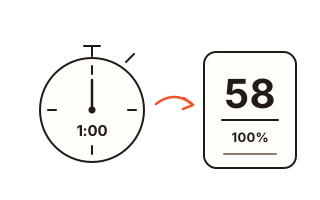
Job listings for data entry, transcription, captioning, clerical and help-desk roles often quote a typing speed, and many people simply wonder whether their daily emails have made them quicker. This page measures that number: set a timer of 1, 3 or 5 minutes, type the text it gives you, and when the countdown hits zero you get your net WPM, your characters per minute and how many of them were right.
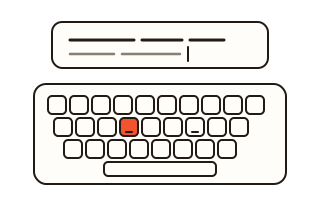
Each result is filed by duration and language, so a one-minute sprint is never ranked against a five-minute stretch. Finish a full test and you see your personal best for that duration, how far you moved since the previous attempt, and a heat map of the letters that tripped you up.
Choose between mixed sentences, common words or longer extracts, and rerun the identical text whenever you want a like-for-like comparison. A Korean mode reports taja, the keystroke rate on the dubeolsik (2-set) keyboard.
How to use it
- Tap 1, 3 or 5 minutes, then pick English or Korean and the sort of text.
- Press Start test. Nothing is timed until your first keystroke; from then on the countdown runs.
- Type each line into the box beneath it. Enter or Space takes you to the following line.
- At zero, check your WPM, CPM and accuracy against last time, and download the result card to keep a copy.
The maths behind your WPM
By convention a word equals five characters, spaces included. Only correctly typed characters are counted, which makes this a net figure: skipping ahead with errors costs accuracy and adds nothing to speed. As a worked example, the two opening lines of the extract At the Keyboard hold 72 characters; typed without a slip in one minute, that gives 14 WPM and 72 CPM.
Longer durations divide the correct characters by 3 or 5, so all three lengths report a per-minute rate on the same scale. Stepping away from the input pauses the countdown until you resume.
Picking a duration
Sixty seconds captures raw pace; three and five minutes reveal stamina, whether you can sustain that rate across a longer stretch. With so little time, one slip shifts a short result noticeably, so if a recruiter wants a figure, rehearse your chosen duration several times beforehand and quote a typical score rather than a lucky peak. When a three- or five-minute run goes the full distance, the result also breaks it down minute by minute, so you can see whether your pace held up or faded towards the end.
Ending early with the stop button still reports a speed, yet that attempt stays out of your history. Comparing only complete runs keeps your best score and your trend meaningful.
Getting a fair reading
Warm up with one untimed try, sit so your wrists stay level, and keep your eyes on the screen rather than your hands. Fix a typo with Backspace when you notice it: in this test a missing letter shifts every character after it on that line. Testing at a similar time of day, on the same physical keyboard, makes week-to-week numbers easier to trust.
Where the extracts come from
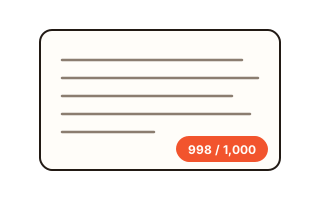
Some sentences, words and extracts were written for anyfac; the remainder are public-domain works by nineteenth-century American and British writers, alongside Korean poems whose protection has expired. Selecting an extract displays its author and first appearance. An English run holds over 1,000 characters per minute (enough for 200 WPM) and a Korean run over 550; anyone faster simply finishes when the text does.
Your data
What you type and your results are worked out inside this browser and never sent to a server. Only your records are kept in this browser's storage so you can compare next time: the last 30 tests plus the best for each duration and language. The clear button removes them at once.
Questions and answers
Why does another site give me a different WPM?
Sites disagree on penalties for errors, on corrected letters and on idle time. This one keeps correct characters only and drops time spent outside the box, so your most reliable comparison is with earlier results of the same duration here.
How do WPM and CPM relate?
CPM counts correct characters in sixty seconds; dividing by five, the standard word length, turns it into WPM. So 250 CPM equals 50 WPM. English results list both.
Does a phone give a valid score?
Touchscreens can type the test, but thumbs on glass behave so unlike fingers on keys that the figure is not comparable. Use a laptop or desktop for anything you plan to quote.
What if I quit halfway?
The speed for the part you typed appears, but incomplete attempts are not saved, since only full durations are compared. Clicking elsewhere merely pauses; type again to continue.
Does fixing a typo with Backspace hurt my score?
Each line is judged by what it holds when you move on, so a letter you correct in time is scored as right. The seconds spent correcting still run on the clock, which is why frequent fixes lower WPM indirectly while leaving accuracy high.
Why rerun identical text?
Capitals, punctuation and long words make some texts slower than others even when your skill is unchanged. Same text again restores the exact lines in their original order, so before-and-after scores line up.
What does the downloadable card show?
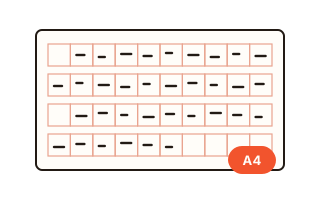
WPM, accuracy, elapsed time, CPM, a heat map of missed keys and the date, as one 1080 × 1350 PNG. It never includes what you typed or your name.