What this tool does
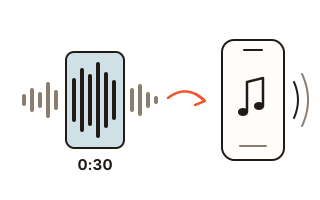
This tool cuts a part of a song into a ringtone or notification sound for your phone. When you open a song, its waveform is drawn and the part that comes back several times and plays the loudest — usually the chorus — is already selected. If that is not the part you want, try one of the two other suggestions or tap the waveform where your ringtone should begin.
A ringtone has to be heard in a quiet room and on a noisy street. With Turn up quiet songs on, the loudness of your selection is measured the way broadcasters measure it (LUFS); a quietly recorded song is raised to a ringing level and its sudden peaks are held down so nothing distorts, while a song that is already loud keeps its level and only has its peaks held down. The start and the end can fade in and out, so a call never starts with a jolt.
Choose iPhone and the file is saved as M4A (AAC); choose Android and it is saved as MP3. Right after saving, the steps to set it as the ringtone on that phone appear below the file.
How to use it
- Press Choose a song and open an MP3, M4A, WAV, FLAC or OGG file. No file at hand? Try the test song first.
- Pick what it is for: an iPhone ringtone (up to 30 seconds), an Android ringtone (up to 60 seconds) or a short notification sound (1 to 10 seconds).
- Check the highlighted part of the waveform. Tap the waveform to start there, drag the highlight to move it, or drag one of its edges to change the length. The buttons next to Start move it by a tenth of a second or by a whole second.
- Press Play to hear exactly what will ring, then Make the ringtone, then Save.
How the chorus is found
The song is split into slices of about a tenth of a second. For each slice the tool measures how loud it is and which of the twelve notes of the scale are sounding. When the same chord progression returns a few seconds later, that stretch scores as a repeated part, and the louder it is, the higher it scores. The three best-scoring places, apart from one another, become the suggestions, and each one starts on the moment nearby where the sound jumps up — a downbeat, or the singer coming in.
There is no AI model and no network involved: plain signal processing on your device, and once the song is read, finding the chorus takes only a moment. On the test song built into this page it finds all three chorus starts within a fifth of a second. Real songs vary, so the first suggestion is sometimes a verse or an instrumental break; play it, and try the other suggestions.
iPhone and Android files
On iOS 26 and later you can long-press a sound file in the Files app, tap Share and choose Use as Ringtone (you may need to scroll). It works with MP3 and M4A files and is reported to refuse files over 30 seconds, so the iPhone choice stops at 30 seconds and saves M4A. iPhones on a version before iOS 26 need an M4R file copied over from a computer, which is why the Save as M4R button is there too.
Android phones let you pick your own file straight from the ringtone list in Settings and handle MP3 best. They hardly limit the length, but a call rarely rings much past 30 seconds, so the Android choice stops at 60.
Your data
Your song is opened with the browser's own file reader and cut and processed on this device only. Nothing is uploaded and no request carries any audio. The MP3 encoder, and an M4A encoder for browsers without one, are fetched from this site the first time you press Make the ringtone. This browser only remembers which phone you chose and the volume setting.
Questions and answers
How do I get the ringtone onto my iPhone?
The easiest way is to open this page on the iPhone itself. Find the saved file in the Files app (Safari usually puts it in Downloads), long-press it, tap Share and choose Use as Ringtone (iOS 26 and later; you may need to scroll). If you made it on a computer, send it to the phone by email or a messaging app, save it to Files, then do the same. On iPhones with a version before iOS 26, copy the M4R file over with Finder or iTunes on a computer, or export it as a ringtone from GarageBand.
How do I set it on an Android phone?
Open Settings, then Sounds and vibration (or Sound), then Ringtone, tap the plus sign or My sounds, and pick the MP3 you downloaded. The names differ a little between phone makers, but most ringtone lists let you add your own file.
The suggested part is not the chorus.
There are three suggestions — tap Suggestion 2 or 3 under the waveform, or tap the waveform wherever you want the ringtone to begin. The buttons next to Start move it by a tenth of a second, so you can land exactly on the first beat. Play gives you the finished sound, with the volume and fades already applied.
Does turning up the volume damage the sound?
It only ever turns quiet songs up. When your selection is quieter than −12 LUFS it is raised by the difference, by 15 dB at most, and the peaks that would then clip are held under −1.5 dBTP only for a split second. It never raises a song so far that the peaks would have to come down by more than 6 dB, so drums keep their punch. A song that is already louder keeps its level; untick the box if you want the sound exactly as it was.
Can I use songs from a music streaming app?
Any ordinary sound file works, such as MP3 or M4A. Tracks kept inside a streaming app are copy-protected (DRM), and a browser cannot open them. To take the sound out of a video, use the MP4 to MP3 tool first.