What this tool does
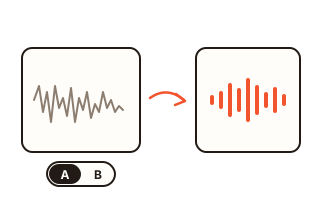
This tool cleans up the voice in a video. Fan noise, air conditioning, computer hum, street rumble and the constant hiss of a cheap microphone are turned down, while the speech is kept. You get a new file of the same type with the cleaned sound and the original picture.
The picture is not decoded or compressed again. The video stream is copied packet by packet into the new file, and after saving, the tool reads both files back and checks that every video packet is byte-for-byte identical. Only the audio track is replaced, so there is no loss of image quality and no change in sharpness, colours or frame rate.
Everything runs inside your browser on your own computer or phone. The file is read from your disk, processed in the background and written to the browser's private storage, so long recordings work without being held in memory and without any upload.
How to use it
- Choose a video with the button above or drop it onto the box. MP4, MOV, WebM and MKV files work, and audio files are accepted too. To see how it works first, press “Try a sample clip”.
- Pick an engine. The AI engine gives the best result and downloads its model the first time; the fast filter needs no download and suits very long recordings with steady noise.
- Set the strength. At 100% as much noise as possible is removed; lower values keep part of the original sound for a more natural room tone.
- Press “Clean the voice”. Progress, speed and the time left are shown while it works.
- When it is done, play the result and switch between Original and Cleaned at any moment to compare, then save the new file.
Which engine should I use?
The AI engine is DeepFilterNet3, an open neural network made for speech enhancement at 48 kHz. It separates voice from noise far better than a classic filter, including noise that changes over time, and it keeps the voice natural instead of making it sound hollow. On this site several copies of it run side by side, one per processor core, so longer videos are cleaned in parallel pieces that are joined seamlessly.
The fast filter is classic spectral noise reduction: it learns the steady noise floor of the recording and lowers it. It is many times faster, needs no download and works offline, but it can leave a little “watery” sound and cannot remove changing noises such as traffic or chatter.
What it can and cannot fix
Steady background noise is the easy case: fans, hiss, hum, rain and distant traffic usually drop by a large amount. Short sounds such as keyboard clicks or a door are reduced as well. Background music is treated as noise and is mostly removed, so do not use the tool on a music video.
It does not repair distortion from a microphone that was too loud, and echo in a large room is reduced only a little. Very quiet speech under loud noise gets clearer but will not sound like a close-up recording made in a quiet room.
How we measured it
The sound stayed in sync with the picture to the sample, and the new file was as long as the original to within 20 milliseconds.
On the six-core desktop used for these tests, a 3 minute 38 second video was cleaned with the AI engine in about 14 seconds, and a 61-minute video with the fast filter in about 33 seconds. Your times depend on your device, and real recordings are messier than test clips, so treat these numbers as a guide rather than a promise.
Your data
Your video is processed on your device and is never uploaded. The only network use is the AI engine itself: the first time you use it, the browser downloads the ONNX Runtime from jsDelivr and the DeepFilterNet3 model from Hugging Face, and keeps them in its cache. The fast filter makes no requests at all. Results are written to this site's private browser storage while you work and are deleted the next time you open the tool or clean another file.
Questions and answers
Is there a length or size limit?
No fixed limit. Audio is processed in short pieces and the new file is written straight to the browser's storage, so an hour-long video works as long as your device has free disk space for the result.
Will the video quality change?
No. The video stream is copied exactly as it is, without re-encoding, and the tool checks that every video packet in the new file matches the original. Only the sound is replaced.
Why is the first run slower?
The AI engine downloads its model and runtime the first time, about 23 MB in total. After that they are cached by your browser, and the fast filter never downloads anything.
Can I get a more natural sound?
Lower the strength. At 70–90% a little of the original room sound is kept, which often sounds more natural than complete silence between words.
Does it work on a phone?
Yes, in a recent Chrome, Edge, Firefox or Safari, but long videos take longer because phones have fewer and slower cores. Keep the page open until it finishes.