What this tool does
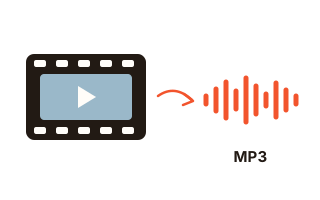
This tool takes the soundtrack out of a video file and saves it as an audio file. Choose MP3 when you need something that plays on any phone, car stereo or editing app, or choose original audio to keep the sound exactly as it is stored inside the video.
Most MP4 videos carry their sound as AAC. Copying that AAC stream into an M4A file takes seconds even for a long recording and loses nothing, because the audio is never decoded and compressed again. After copying, the tool reads both files back and compares them packet by packet, so you can see that the sound is identical to the original.
Everything runs inside your browser. The video is read in small pieces and the audio is encoded while it streams through, so an hour-long lecture or a full concert does not have to fit in memory and is never uploaded anywhere.
How to use it
- Click “Choose video files” or drop one or more files onto the box. MP4, MOV, MKV, WebM and most audio files work.
- Pick what to save: MP3 at the bitrate you want, or the original audio with no re-encoding.
- To keep only part of the recording, type a start and an end time such as 1:30 or 1:02:03. Leave both empty to keep everything.
- Press Convert. Each file shows its progress and speed, then a player to check the result and a Save button.
MP3 or original audio (M4A)?
MP3 is the safest choice when you are not sure what will play the file. It is encoded again, so choose a bitrate that suits the content: 128 kbps is plenty for speech, 192 kbps suits most music, and 320 kbps is the highest MP3 allows. Re-encoding a compressed soundtrack never adds detail, so a bitrate far above the original's mostly makes the file bigger.
Original audio keeps the exact stream from the video. For AAC, the usual case for MP4 files and phone recordings, you get an M4A file that plays in Apple Music, on iPhone and Android and in most current players. Other kinds of sound are kept in their natural container instead: Opus becomes .opus, MP3 stays .mp3 and FLAC becomes .flac.
Trimming, tags and cover art
Start and end times cut the audio before it is saved. When MP3 is encoded the cut is exact. When the original audio is copied, the cut snaps outward to the nearest audio frame, which is about 21 milliseconds for AAC, because frames can only be copied whole.
Each file name becomes the title tag, and you can add an artist and album name for all files at once. When the source has a picture track, one frame from the video is embedded as cover art, so the file is easy to recognise in a music app.
Your data
Your files are opened with the browser's own file reader and processed on this device. Nothing is uploaded, and no request carries your audio or video. The MP3 encoder itself is a separate file that this site sends the first time you convert to MP3. Only your format, bitrate and checkbox choices are remembered in this browser.
Questions and answers
Is there a file size or length limit?
There is no fixed limit. The file is read in pieces and the audio is encoded as a stream, so recordings of an hour or more work on an ordinary laptop. Longer files simply take longer, and the finished audio is held in memory until you save it.
Why is MP3 slower than the original-audio option?
MP3 needs every second of sound decoded and encoded again, which typically runs tens of times faster than real time on a laptop and slower on phones. Copying the original AAC only rewrites the container around the same data, so even an hour of audio is done in seconds.
Which bitrate should I choose?
For lectures, podcasts and voice memos 96 or 128 kbps is enough, and ticking Mono keeps speech clear at those rates. For music use 192 kbps or more. Picking more than the source had does not make it sound better. Sound with a low sample rate, such as a phone call recording, gets a lower bitrate from the MP3 encoder (up to 64 kbps below 16 kHz, 160 kbps below 32 kHz); the result line then shows the bitrate really used and why.
Can I convert several videos at once?
Yes. Select or drop several files and they are converted one after another with the same settings. Each one gets its own player and Save button, and Save all downloads every finished file. Files added after a batch are converted on their own; finished files are only made again when you change a setting.
Which browsers does it work in?
It needs WebCodecs, which current versions of Chrome, Edge and Firefox provide, as do recent Safari releases. Phones work too, but they are slower and have less memory, so very long files take more patience there.