What this tool does
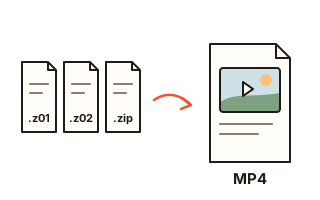
Large files are often sent as a split archive: name.z01, name.z02 … name.zip. The unzip tool built into Windows and macOS cannot open these pieces, so the usual advice is to install an archiver such as 7-Zip. This page does the job in the browser instead: add all the pieces and it joins them, unpacks them and gives the original file back. It works on a work computer where you cannot install software, and on a phone.
If the archive holds one file, you get that file itself, not another ZIP. While unpacking, its checksum (CRC) is compared with the one recorded when it was packed, and the file is saved only if they match, so a damaged piece or a piece from another set is caught instead of saved. An archive with several files can be saved as one ordinary ZIP, or file by file.
Pieces cut byte by byte with 7-Zip or similar tools (name.001, name.002 …) are joined back into the original file too. Such pieces record neither how many there are nor a checksum, so a missing last piece cannot be detected; check with the sender how many there should be. A cut .zip shows the files inside; a cut .7z or a document such as .docx comes back as that file. Names inside ZIPs made on a Mac or on Korean Windows (CP949) are read correctly.
How to use it
- Save every piece you received into one folder (from every email, if they came in several).
- Press "Choose pieces" and select them all, or drop them all onto the box. The order does not matter.
- When no piece is missing, the original file name appears (or a list, if there are several files). Press "Save the original file"; a file from .z01 pieces is checked against its CRC before it is saved.
- If the archive holds several files, press "Save as one ZIP", or "Save" next to a file to unpack just that one.
When a piece is missing
A split archive cannot be opened while any piece is missing. This page compares the names you added with the number of pieces recorded in the last piece (.zip) and tells you which ones are missing. Add them and the archive is read again straight away. For .001 pieces only a gap in the middle can be spotted, not a missing last piece.
Keep the names as they arrived, because the order comes from the names. Upper case (.Z01) or pieces chosen in a mixed order are fine. If your browser saved a piece twice as name (1).z01, rename it back to name.z01.
What it cannot open
Password-protected split archives are not unpacked here. Press "Save as one ZIP" to get one ordinary ZIP with the password kept, and enter the original password when you open it. Files packed with an uncommon method, such as 7-Zip's LZMA, can likewise only be saved as one ZIP, and that ZIP still needs an archiver such as 7-Zip.
Split .rar, .alz and .egg archives are different formats and cannot be opened here. Pieces such as name.7z.001 are joined back only as far as the .7z file.
Nothing is uploaded
The pieces are joined and unpacked inside this browser tab and never sent to a server, so work documents and private photos stay private. The size you can handle depends on your device's free memory and storage; when the files together pass 4 GB, saving as ZIP gives several ZIPs, and a single file of 4 GB or more is saved on its own.
Your data
Pieces are read and joined inside this browser tab and are never uploaded. This page remembers nothing: close or reload it and the pieces you added are gone (files you saved stay where you saved them).
Questions and answers
How do I open a .z01 file?
Save every piece without renaming it (.z01, .z02 … .zip), then add them all to this page. Press "Save the original file" if it holds one file, or "Save as one ZIP" if it holds several. If you have an archiver such as 7-Zip, opening the .zip piece with it works too.
Why does Windows show an error when I double-click the .zip piece?
The last piece (.zip) of a split archive needs the earlier pieces (.z01 …), and the unzip tool built into Windows and macOS does not support split archives, hence the error. Add all the pieces to this page to open them.
How do I join .001 files?
Add all the pieces (.001, .002 …) and press "Save the original file". If the joined file is a ZIP, its files are listed instead, and you can save them as one ZIP or one by one. These pieces carry no checksum, so make sure none is missing.
What if it says a piece is missing?
Get the piece it names and add it with the others. If the pieces came in several emails, one may have been missed. Every piece of the set is needed.
Does it work on a phone?
Yes. Open this page in your phone's browser and choose all the pieces. Very large files may take a long time or fail, depending on the phone's memory, and an old browser may not be able to unpack compressed files.
What if it says the checksum does not match?
A piece was damaged while downloading, or a piece with the same name from another set got mixed in. The page cannot tell which one, so download all the pieces again and add them; a piece with the same name replaces the one added before. Nothing is saved in this case, so a damaged file is never passed off as the original.