What this tool does
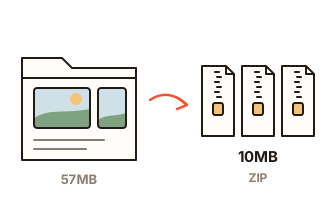
When a folder of photos or documents is too big to attach, the usual fix is a split archive. But a standard split archive (.z01 or .001 pieces) cannot be opened until every piece is there, and the person receiving it needs a program that understands it. This tool spreads the files themselves over several ZIPs instead. Each one is a complete ZIP that opens with the unzip tool built into Windows, macOS, iPhone and Android, so the files arrive usable one email at a time.
The sizes are calculated to the byte, not estimated. Every file's compressed size is worked out first, then the space its name and date take inside the ZIP is added, so no ZIP is a single byte over the limit you typed. Photos, videos and Office files (.docx, .xlsx) are already compressed and go in unchanged; plain text, CSV and other files that shrink are compressed, which can save a ZIP or two.
Folders stay folders: unzip every ZIP into one folder and the original layout comes back (empty folders are left out). File names in any language and the files' modified dates are kept. If you add a ZIP on its own (not inside a folder) that is larger than the limit, its files are copied into the new ZIPs as they are, without unpacking and recompressing them.
How to use it
- Press "Choose files" or "Choose a folder", or drop files and folders onto the box. A big ZIP works too.
- Under "Largest ZIP size", press 10 MB, 20 MB or 25 MB, or type the limit from the email or upload form in MB (for example 9.5).
- Press "Split into ZIPs" to see how many ZIPs you get and which files are in each. Change the size and the ZIPs are made again straight away.
- Press "Save all", or "Save" next to each ZIP; your browser may ask once whether this page may download several files. "Copy list for the email" puts a short note listing the ZIPs on your clipboard, ready to paste into the email.
Easy on the person receiving them
Attach one ZIP per email and the first one can be opened as soon as it arrives. If one email is late or lost, the others still open. That is the main difference from a standard split archive, which needs every piece before anything can be read.
The tool aims for as few ZIPs as it can, and sometimes reorders files to get there; when it does, it says so and shows how many ZIPs keeping the order would take. Turn on "Keep file order" to fill the ZIPs in list order (by name inside a folder). If keeping the order costs nothing, the order is kept anyway.
A single file larger than the limit
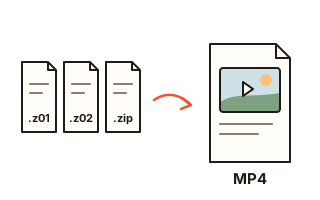
One file that is still bigger than the limit after compression, such as a long video, cannot fit in any ZIP. Only such a file is cut into a standard split archive (name.z01, name.z02 … name.zip). The unzip tool built into Windows and macOS cannot open split archives, so the person receiving it adds all the pieces to this site's "Open split ZIP" page and gets the original file back without installing anything (a file that came from a password-protected ZIP still needs its password); an archiver such as Bandizip opens them too. The note from "Copy list for the email" explains this.
If the file is a large PDF or photo, shrinking it first is easier on the person receiving it, so the result links to Compress PDF or Compress Image for those files.
Before you email them
Some services count 10 MB as 10,000,000 bytes and others as 10,485,760 bytes. This tool always uses the smaller one (1 MB = 1,000,000 bytes), so a ZIP stays under either.
Email turns attachments into text on the way, which makes them about a third larger, and some services count that larger size. If an attachment is still refused, type about 70% of the limit (10 becomes 7); while the page is open the files are not read again, so the new ZIPs are ready almost at once.
Nothing is uploaded
Files people split for email are usually private: family photos, work folders, scanned papers. They are read and zipped inside this browser tab and never sent to a server. There is no daily limit and no limit on the number of files; each file must be under 4 GiB (4,294,967,295 bytes), and one split makes up to 999 ZIPs and pieces.
Your data
Files are read and zipped inside this browser tab and are never uploaded. Only your size limit and order setting are remembered in this browser; the files you added and the ZIPs on the page are gone when you close or reload it (ZIPs you saved stay where you saved them).
Questions and answers
Does the person receiving the ZIPs need special software?
No. Each ZIP is complete on its own and opens with the unzip tool built into Windows, macOS, iPhone and Android. Only the pieces of a split archive (.z01 …), made for one file larger than the limit, do not open that way; adding all of them to this site's "Open split ZIP" page opens them without installing anything.
How do I split files into 10 MB ZIPs?
Add the files, press 10 MB or type 10 under "Largest ZIP size", then press "Split into ZIPs". No ZIP will be over 10,000,000 bytes. Decimals such as 9.5 work too.
Can I split one big ZIP file into smaller ZIPs?
Yes. Add the ZIP on its own, not inside a folder. If it is larger than the limit, the files inside it are spread over several new ZIPs, copied byte for byte without recompression, and password-protected files keep their password. Names from Mac ZIPs and Korean Windows ZIPs (CP949) are read correctly. If the original needed an archiver to open (7-Zip's AES or LZMA, say), those files still will. A ZIP already under the limit goes in whole, inside one new ZIP.
Why did the file order change?
Files were rearranged by size to make as few ZIPs as possible, and the result tells you how many ZIPs keeping the order would take. Turn on "Keep file order" to fill the ZIPs in list order.
Are folders and dates kept?
Yes. A folder you add appears inside the ZIPs too, and unzipping every ZIP into one folder puts it back together; empty folders and hidden system files such as .DS_Store and Thumbs.db are left out. If two files would end up with the same name, the second becomes "name (2)", so nothing overwrites anything. Modified dates are kept.
What if my email still says the attachment is too large?
Some email services count attachments after they are turned into text, about 1.33 times larger. While the page is open, type about 70% of the limit (10 becomes 7) and the files are split again at once, without being read again.