What this tool does
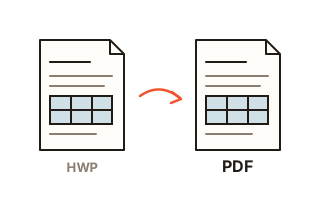
HWP is the file format of Hangul, the Korean word processor from Hancom, widely used in Korea for government forms, school notices and official letters. This converter reads HWP 5.0 files (Hangul 2002 and later) and the newer HWPX format and makes a PDF that anyone can open, print or attach, even on a computer without Hancom Office or on a phone.
The document is read by rhwp, an open-source Hangul document engine running in the page. It lays out page size and margins, page breaks, line breaks, table borders and cells, pictures, text colour and weight as the file describes, and each page is then drawn as real PDF lines, shapes and text. Nothing is turned into a screenshot, so text and table lines stay sharp at any zoom, and you can select and search the words in the result.
This site is not allowed to hand out Hancom's own fonts, such as Hamchorom and the HY family, so every font in the document is replaced by one of two open fonts: Myeongjo, Batang and Gungsuh styles become Nanum Myeongjo, and Dotum, Gulim, Gothic and the rest become Nanum Gothic. Every character keeps the position the engine gave it, so the new font never makes a line wrap differently or pushes text onto the next page. Characters the Nanum fonts lack, such as circled numbers, Roman numerals, some Hanja (Chinese characters used in Korean) and the ㊞ seal sign, are drawn as small pictures. The real character is stored with each picture, but depending on the PDF viewer, search and copy may not find it.
How to use it
- Click 'Choose HWP files' or drop HWP or HWPX files on the box. Several at once is fine. No file at hand? Press 'Try a sample document'.
- The first time, the conversion engine and the fonts the document needs are downloaded from this site. After that the browser keeps them and conversion starts at once.
- Documents are converted one by one in the order you added them. You see which page is being drawn, then a preview of page one with the page count, file size and time taken.
- Press 'Download PDF' to save it under the original name with .pdf. With several documents, the ZIP button saves them all in one go.
How close is it to the original?
We converted four public-sector documents (three HWP, one HWPX, 70 pages in all) and compared the results side by side with PDFs saved from Hancom's own Hangul. Every document had the same number of pages, and every page held the same lines of text. Tables kept their cells and lines in the same places. The differences are the typeface (Nanum) and a few known slips: in one HWPX file with charts stored as pictures, the charts on 6 of its 30 pages sat too low and overlapped a table, and in one form the lines sat up to about 3 mm higher. The preview in the list is a small image of page one only and will not show slips like these, so for an important submission open the downloaded PDF and look over every page.
What is downloaded once
Reading HWP files inside a browser needs the conversion engine (about 11 MB). For the PDF, only the fonts a document actually uses are fetched: from 2 MB for a single font (Nanum Gothic regular) up to 9.8 MB for all four (Nanum Myeongjo and Nanum Gothic, each in regular and bold). Everything comes from this site and stays in the browser's cache, so it is not downloaded again next time. If you are on mobile data, do the first conversion on Wi-Fi. Your document itself goes nowhere.
Why no upload matters
Hangul files are often application forms and internal reports with names, resident registration numbers and phone numbers in them. Because nothing is uploaded here, such files can be converted without handing them to anyone. There is no upload wait, no daily limit and no account.
Your data
Documents are read and turned into PDF inside this browser tab and are never sent to a server. The only things fetched from this site are the conversion engine and fonts, once. The tool remembers no settings, and the documents you add and the PDFs it makes are gone when you close or reload the page.
Questions and answers
Do I need Hancom Office?
No. A browser is enough. Character positions come from the engine, not from the fonts installed on your device, so page and line breaks come out the same on Windows, Mac and phones.
Why does the typeface look a little different?
Hancom fonts such as Hamchorom and the HY family come with Hancom Office, and this site is not allowed to hand them out, so every font in the document is replaced by an open one: Nanum Myeongjo for Myeongjo, Batang and Gungsuh styles, Nanum Gothic for everything else. Only the shapes of the letters change; line breaks and page breaks are the original ones.
Can I select and search the text in the PDF?
Yes. Text goes in as text, not as an image. The few symbols and Hanja missing from the Nanum fonts are drawn as pictures; the real character is stored with each of them, but some viewers, such as the one built into Firefox, skip those characters in search and copy.
Are logos, seals and other pictures kept?
Photos and bitmaps (PNG, JPEG, BMP, GIF and others) go in as pictures, and WMF and EMF drawings, common for logos and official seals in Korean documents, are redrawn as lines and shapes so they stay sharp at any zoom. A picture that is damaged and cannot be read is left out, and the result tells you how many are missing.
Does it open password-protected or distribution-only (read-only) documents?
Not yet. Ask the sender for a copy without the password or distribution lock, or for a PDF. If you have Hangul and know the password, you can also save an unlocked copy there and convert that.
Are both HWPX and older HWP files supported?
Yes: HWP 5.0 from Hangul 2002 onward and HWPX, the format current Hangul saves by default. Add several files at once and they are converted in turn and can be downloaded as one ZIP.
Can anything come out different from the original?
Line breaks and page breaks stay the same, but in some documents a chart or other picture can sit too low and overlap a table, or lines can sit a few millimetres higher. That comes from the layout engine (rhwp), so this tool cannot correct it; when a new engine version comes out, we compare again before switching to it. For a document you have to submit, open the downloaded PDF and look over every page.