What this tool does
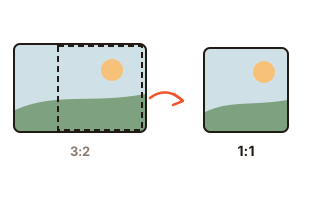
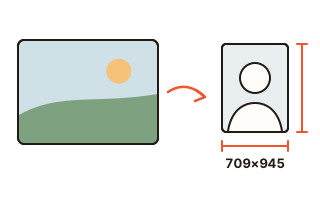
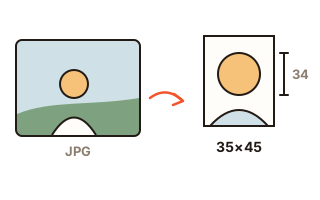
Passport and visa offices are strict about photos: a set size such as 35 × 45 mm or 2 × 2 inches, a head of a set height from chin to crown, the face centred and straight, a plain background. This tool takes a photo you shot at home, finds the face, turns the photo so the eyes are level, scales it so the head lands inside the rule's range and centres it — then measures the result against the rule.
The rules come from each government's own pages: the US (2 × 2 in, head 1 to 1 3/8 in to the top of the hair, eyes 1 1/8 to 1 3/8 in from the bottom, the 600 × 600 px file under 240 KB for DS-160), the UK, Germany, Canada, Australia, Japan, Taiwan, the Chinese visa, and South Korea's passport, ID card, driving licence and residence card. There is also a custom size in millimetres.
How to use it
- Choose the document under 'What is the photo for?'. Not listed? Pick 'Custom size' and type the width and height in mm.
- Press 'Choose a photo' or drop one in. The framed photo and its check list appear as soon as the face is found.
- See that the dashed lines sit on the top of the head and the chin; if not, open 'Fix the top of the head and chin' and move them. If the wall behind you is not plain, you can swap the background where the rule allows it.
- 'Save photo' gives one photo at the rule's size. The 4×6 sheet holds several copies for a photo lab or print service. The A4 PDF has copies and cutting lines for printing at home.
What the automatic check measures
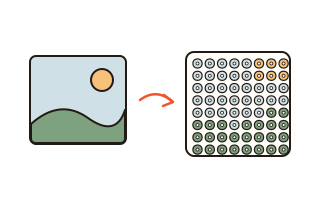
Everything that can be measured on the photo is measured and marked fine, check, or outside the rule: the size, the head height, the gap above the head and the eye height where the rule sets them, the tilt, whether the face is centred, whether the head is turned, whether the background is white or light and even, whether another face shows, whether the original photo has enough pixels for the size, and the file's pixels and kilobytes.
Expression, closed eyes, glare on glasses, shadows and the date the photo was taken cannot be judged reliably from pixels, so they are on a separate list to check yourself. The top of the head and the chin are estimated from the eyes, the mouth and the light in the photo — move the lines if they are off. The office that takes the photo has the last word; nothing here guarantees acceptance.
Head height: to the top of the hair or the skull
Rules measure the head differently. The US, Japan and Taiwan draw the line at the top of the hair. South Korea's passport rule measures from the top of the head without the hair, 32 to 36 mm. Pick the document and the lines, the check and the labels follow that rule's way of measuring.
Background changes and the rules
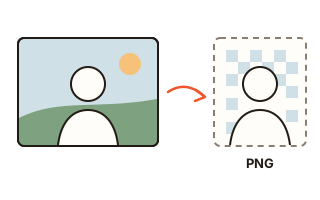
Some offices refuse photos whose background was removed or replaced with an editing program — South Korea says so for passports and residence cards, so for those documents the tool keeps the photo's own background by default and marks a swapped one in red. Where the rule allows a plain colour, you can switch to white, light grey, sky blue, blue or any colour. The swap uses a portrait cut-out model (MODNet) downloaded once into this browser and run on your device.
Australia asks for prints made by dye sublimation on glossy paper and does not recommend online services or apps; since May 2025, offices in Germany accept only photos taken there or sent digitally by a photographer. These notes appear under the document so you know before you print.
Printing at the right size
The 4×6 sheet is a 1800 × 1200 pixel JPEG at 300 dpi holding as many copies as fit, with marks to cut along — order it as a 4×6 (4R) print at original size, without cropping, and each photo comes out at its exact size. The A4 PDF has dashed cutting lines and a short note. Either way, print at actual size (100%), never 'fit to page'.
Your data
The photo is opened and framed only in this browser. The face model comes from this site; only a background change downloads AI files from jsDelivr and Hugging Face, and your photo is never sent. To save you time next visit, this browser keeps the document you chose, head size, levelling, guides, your custom colour, and the background AI files once downloaded.
Questions and answers
Will my passport photo be accepted?
No tool can promise that. This one fits and checks what can be measured — size, head height, centring, tilt and background. Expression, shadows and the photo’s age are for you to check, and the office decides.
Can I make a 2 × 2 inch US visa photo?
Yes. Choose 'US passport / visa': the photo is framed to 2 × 2 inches with the head between 1 and 1 3/8 inches and the eyes 1 1/8 to 1 3/8 inches from the bottom, and 'Save photo' writes the 600 × 600 pixel JPEG kept under 240 KB that the DS-160 form takes.
Can I change the background to white?
Where the rule allows it, yes. Some offices, such as South Korea's passport office, refuse photos with an edited background, and the tool warns you when you pick one for them. For those, retake the photo against a plain white wall.
How do I print it at home or at a lab?
Save the 4×6 sheet and order it as a 4×6 (4R) print, or print the A4 PDF at actual size (100%) and cut along the lines. Some offices accept only photo-lab prints on photo paper.
Is my photo uploaded?
No. Finding the face, framing, checking and making the files all happen in this browser. The AI files for a background change are only downloaded; your photo is never sent anywhere.