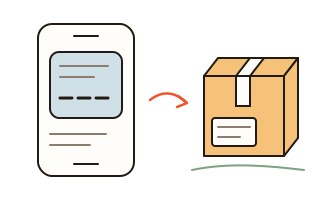
What this tool does
A delivery text or shipping email usually carries a tracking number, but not always the carrier's name, and the number may sit among order numbers, phone numbers and prices. Paste the number or the whole message here. The page finds the tracking numbers, works out the carrier from each number's length, prefix and check digit and from any carrier name or carrier web address in the text, and gives you a button that opens the carrier's own tracking page in a new tab.
It recognizes numbers from USPS (including international mail that USPS delivers), UPS, FedEx, Amazon Shipping, DHL, OnTrac (now one company with LaserShip), GOFO, UniUni, SpeedX, Spee-Dee, Cainiao and YunExpress by their format. Veho and LSO don't publish a format, so their numbers are found only in Veho's own tracking link, or next to the carrier's name and a "tracking number" label. Order numbers, phone numbers, ZIP codes, card numbers, dates and prices are left out. Paste several messages at once and each tracking number gets its own card. There is no account and no sign-in.
Links in a pasted text are never opened. If a link's address is not a carrier website this page knows, the page shows that address as plain text, with the site it belongs to in bold, so you can see where it points and track on the official site instead. In an email, a link can lead somewhere other than the words it shows, so don't tap it there either. anyfac is not connected with or endorsed by any carrier; carrier names are used only to say whose tracking page opens.
How to use it
- On a phone, press and hold the text or email, choose Select All if you see it, then Copy. On a computer, select the text and press Ctrl+C (Command+C on a Mac). Then press "Paste" here. Typing just the number works too.
- Each tracking number gets a card. When the carrier is clear, the card says which and shows one button; when a few could fit, it lists them. Every other carrier is under "Try another carrier".
- Press "Track on …" to open the carrier's tracking page in a new tab. For UPS (which allows links only to its home page) and for Amazon Shipping, the button copies the number and opens the site's home page, where you paste it into the tracking box.
How the carrier is found
Most US tracking numbers have a recognizable shape. UPS numbers start with 1Z and end in a check digit. USPS numbers usually start with 92, 93, 94 or 95 and run 22 digits or more; a number scanned from a label may start with 420 and a ZIP code, which the page drops. FedEx uses 12, 15 or 22 digits with check digits of its own, and Amazon Shipping numbers start with TBA. Some lengths are shared, so a bare 12-digit number is shown as "most likely FedEx"; it becomes sure when the text names FedEx next to it or labels it as a tracking number. A carrier name or web address in the text puts that carrier first whenever the number fits that carrier's format.
Two numbers for one package
Some services, such as FedEx Ground Economy, hand a package to USPS for the last stretch. The shipping text may then show a USPS number (starting with 92) next to the first carrier's own number. Paste both: each gets its own card.
Fake delivery texts
In 2024, texts about a fake package delivery problem were the most reported text scam in the US (FTC). This page can't tell whether a text is real. What it does: it never opens a link in the text, shows the address of any link that isn't a carrier website it knows, and opens only carrier tracking pages. The U.S. Postal Inspection Service says USPS texts come only if you signed up with a tracking number, and they contain no links. To report a fake text, forward it to 7726 (SPAM) and report it at ReportFraud.ftc.gov.
Your data
Finding the number and the carrier happens on this device; nothing you type or paste is sent to our server. The number leaves this device only when you press a carrier button, which opens that carrier's own tracking page with the number in the web address (for UPS and Amazon Shipping, the number is copied and the site's home page opens). From there, that carrier's own privacy policy applies. What you paste stays in this browser until you press Clear, so on a shared computer press Clear when you're done. Links found in your text are never opened.
Questions and answers
Why does it sometimes list more than one carrier?
Some number lengths are shared and carriers don't publish all their rules, so the page shows the carriers that fit, most likely first. Pasting the whole text usually settles it, because the carrier's name or web address is often in it.
Where does my number go?
Nowhere until you press a carrier button. Finding it happens on this device. A carrier button opens that carrier's tracking page with the number in the web address (for UPS and Amazon Shipping, the number is copied and you paste it on their site); from there, the carrier's own privacy policy applies. What you paste stays in this browser until you press Clear.
Can it show the delivery status right here?
No. USPS, UPS and FedEx let people track their own packages on their own websites, but they don't allow another website to show those results without an agreement. So this page opens the official tracking page, where the status is.
Does it work for Amazon orders?
Numbers starting with TBA are Amazon Shipping numbers: the button copies the number and opens Amazon Shipping's tracking page, where you paste it. An order placed on Amazon.com is usually tracked in Your Orders on amazon.com (you'll need to sign in), and the card links to amazon.com too. An Amazon order number such as 112-1234567-1234567 is not a tracking number, so it is left out.
How can I tell if a delivery text is real?
This page can't tell. It never opens links and shows the address of any link that isn't a carrier website it knows. Real USPS texts contain no links (U.S. Postal Inspection Service); texts from UPS, FedEx or Amazon may, but you can still track on the carrier's own site instead of tapping.
Why doesn't a number show anything on the carrier's site?
A label created only hours ago may show nothing yet, and old numbers drop out after some months. If the card said "Most likely" or listed several carriers, try another one under "Try another carrier". For an Amazon.com order, check Your Orders on amazon.com. Otherwise, check the number against the message, try again later, or ask the seller.